Broadcast media player for macOS.
An easy and reliable way to send media of any kind to any screen or stream. Import your media, click it to put it on air, and send the program out over NDI, Syphon, OBS, or a display.
By downloading, you agree to the Terms of Service and Privacy Policy.
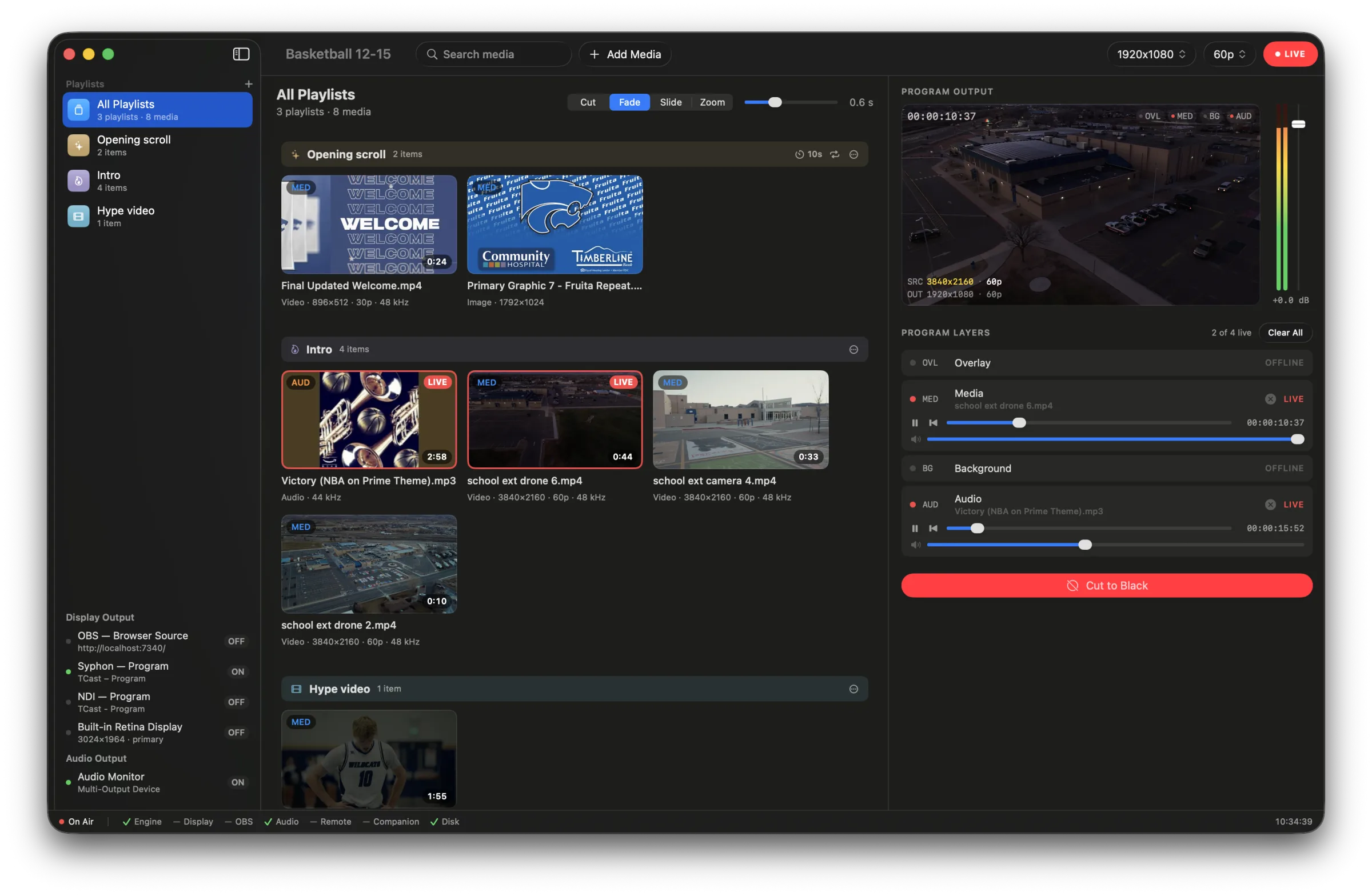
All your media in one place
Drop in audio, video, pictures, slides, graphics, or anything you want to display, then click the media tile to play it.
- Four layers. Layer media and audio on top of each other with the background, media, overlay, and audio layers.
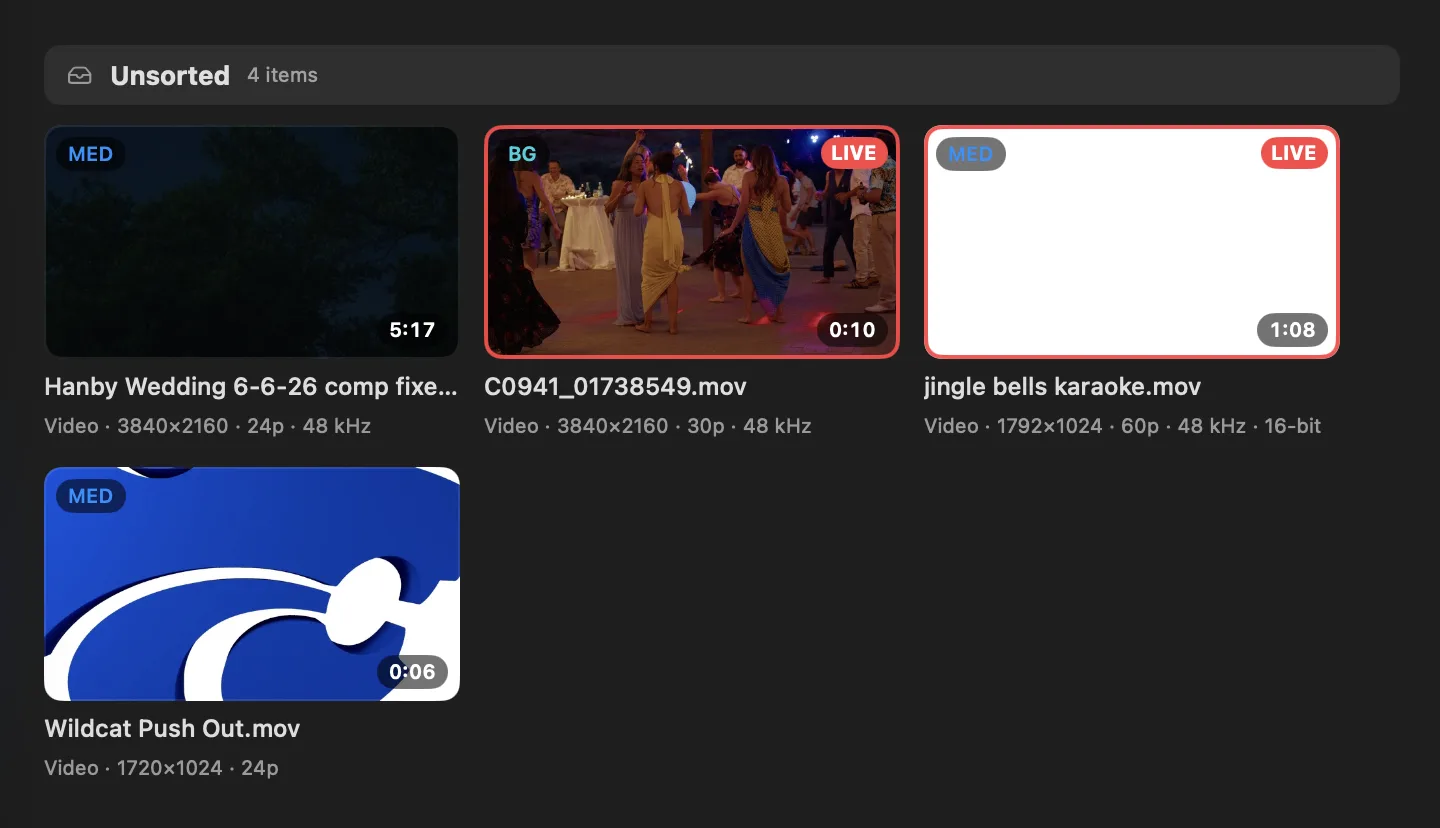
- Change or add things during an event. You can search the library and reorder playlists while something's playing.
TCast is supported by native frameworks
Your output is rendered natively with Metal.
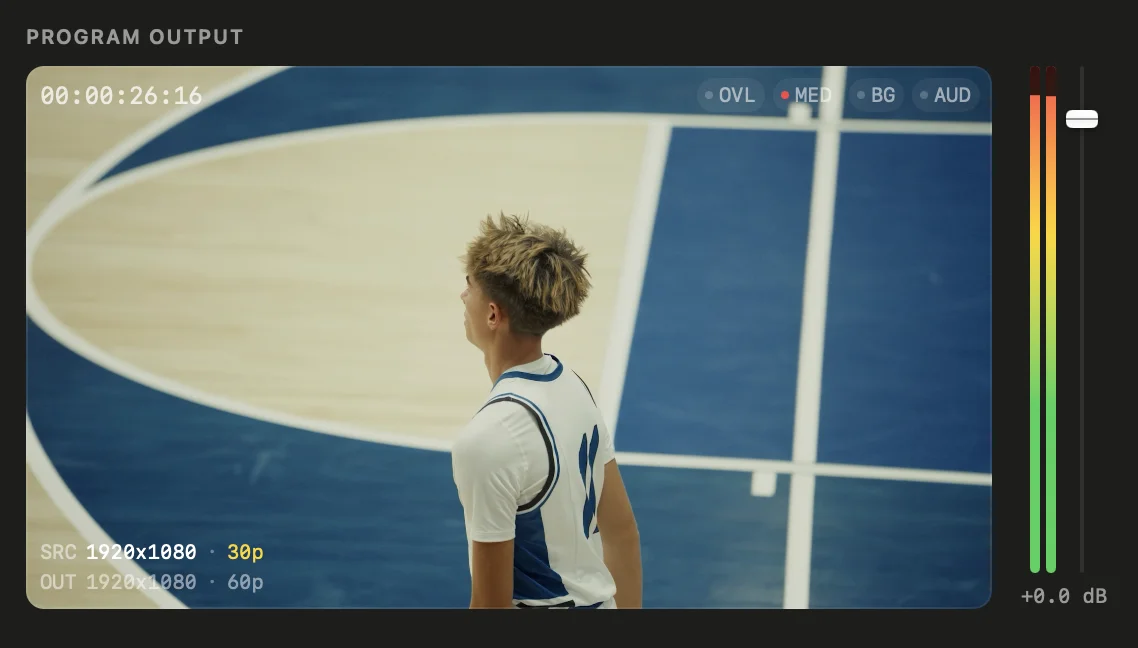
Transitions
Cut, fade, crossfade, slide, or zoom between clips.
Formats
Choose any resolution and frame rate you want, whether that's standard 1080p60 or an odd one.
Program audio
Audio is routed through NDI and OBS outputs, or through an audio device of your choosing.
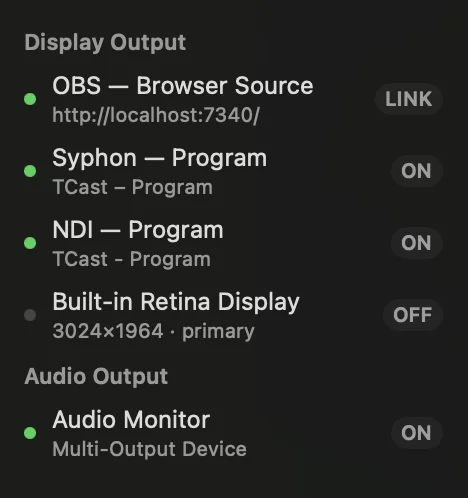
Output however you need to
Any and all outputs can be turned on at any time.
NDI
ONVideo and audio sends over your network to OBS, vMix, or any NDI receiver as “TCast - Program”.
Syphon
ONGPU-to-GPU video for apps on the same computer, with next to no delay and great stability.
OBS Browser Source
LINKThe program outputted as a web page with audio. It's super easy, just paste the URL into OBS.
Displays
ONEvery connected display will show up in the sidebar, and clicking on one will send TCast's output to it full screen.
Remote control
Stream Deck
Control TCast through our Bitfocus Companion module with tons of actions and feedback.
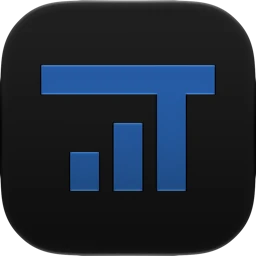
iPhone
The TCast Remote app connects over Wi-Fi or Bluetooth. Download on the Apple App Store (not available in the EU yet).
Anything with HTTP
TCast also has a normal control API which can be controlled with anything that can send a web request.
Media in from anywhere.
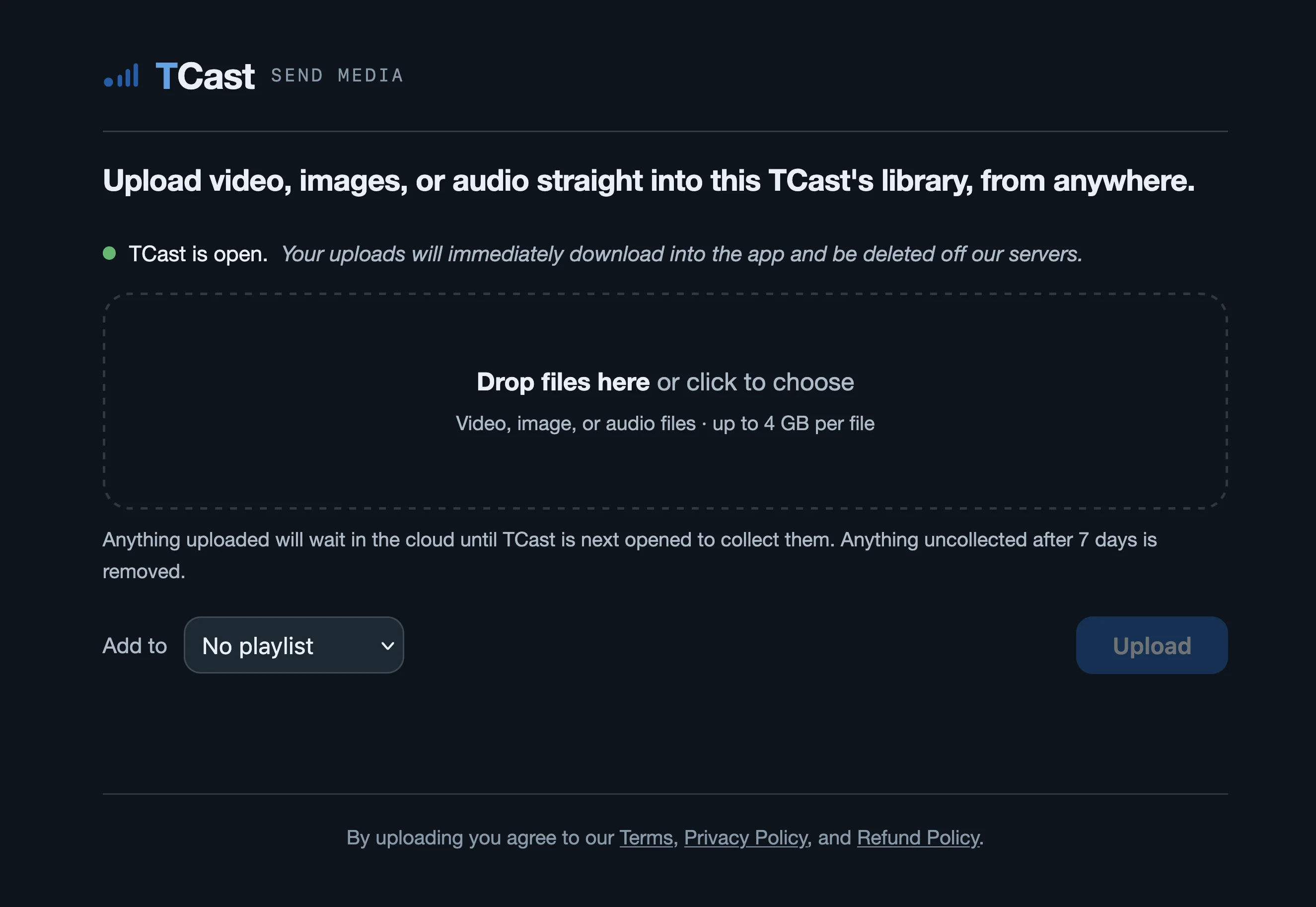
Send contributors a link to upload media from anywhere and it will download to your library immediately. No accounts needed!
Everything else
One easily shareable
You can open TCast projects on other Macs with everything intact (as long as you transfer the media too).
All storage visible
TCast will show you what it has downloaded and space it is using in one place so you can delete unnecessary files.
Automatic updates
New versions will download and apply in the background.
Works offline
Activate once and never again. No internet is ever required (other than for uploads).
Free and Pro options
TCast is not a subscription because those suck. Pro is a one-time purchase that covers two Macs and includes updates for life.
Free
$0
- The full media player and program engine
- Full-screen display outputs
- OBS browser source output
- Up to 1080p at standard frame rates
- 15 library items, 3 saved playlists
By downloading, you agree to the Terms of Service and Privacy Policy.
Pro
$50one time, 2 Macs
- Everything in Free
- NDI and Syphon outputs
- Stream Deck, iPhone, and API control (iPhone app not in the EU yet)
- Internet upload inbox
- 4K, custom resolutions and frame rates
- Unlimited library and saved playlists
- All updates included
By purchasing, you agree to the Terms of Service and Privacy Policy.
Every download includes a 14-day Pro trial with no credit card required
FAQ
Is it a subscription?
Nope, Pro is a one-time $50 purchase!
What do I need to run it?
Any Mac with Apple Silicon running macOS 26 or later.
Does NDI need extra software?
Only on whatever device is receiving the NDI output.
Does it work offline?
Yes, always! After you activate, you won't have to go online ever again.
Can I try Pro before buying?
Of course! Every download comes with a 14-day trial of everything in Pro with no credit card required.
Try it on your next show.
macOS 26 or later, Apple Silicon. Most recent release is version 1.2.1: here's what's new!