Licensing and the trial
TCast is free to use with some limits, and a one-time purchase lifts them. There's no subscription because those suck. Everything on this page lives in Settings ▸ License.
What's in each tier
| Free | Pro | |
|---|---|---|
| Media items per project | 15 | Unlimited |
| Saved playlists | 3 | Unlimited |
| Display output | Yes | Yes |
| OBS Browser Source | Yes | Yes |
| Audio monitor | Yes | Yes |
| NDI output | No | Yes |
| Syphon output | No | Yes |
| Remote control (Stream Deck, Companion, iPhone) | No | Yes |
| Internet uploads | No | Yes |
| 4K and custom resolutions and frame rates | No | Yes |
Pro is a one-time purchase and all updates are included. One license covers two Macs, which is meant to be a main machine and a backup.
The TCast Remote app is not available in the EU at this time.
The free trial
Start 14-Day Free Trial in Settings ▸ License gives you everything in Pro for 14 days. Starting it needs an internet connection once. After that the app works fully offline, so a trial that started at the office keeps running at a venue with no Wi-Fi.
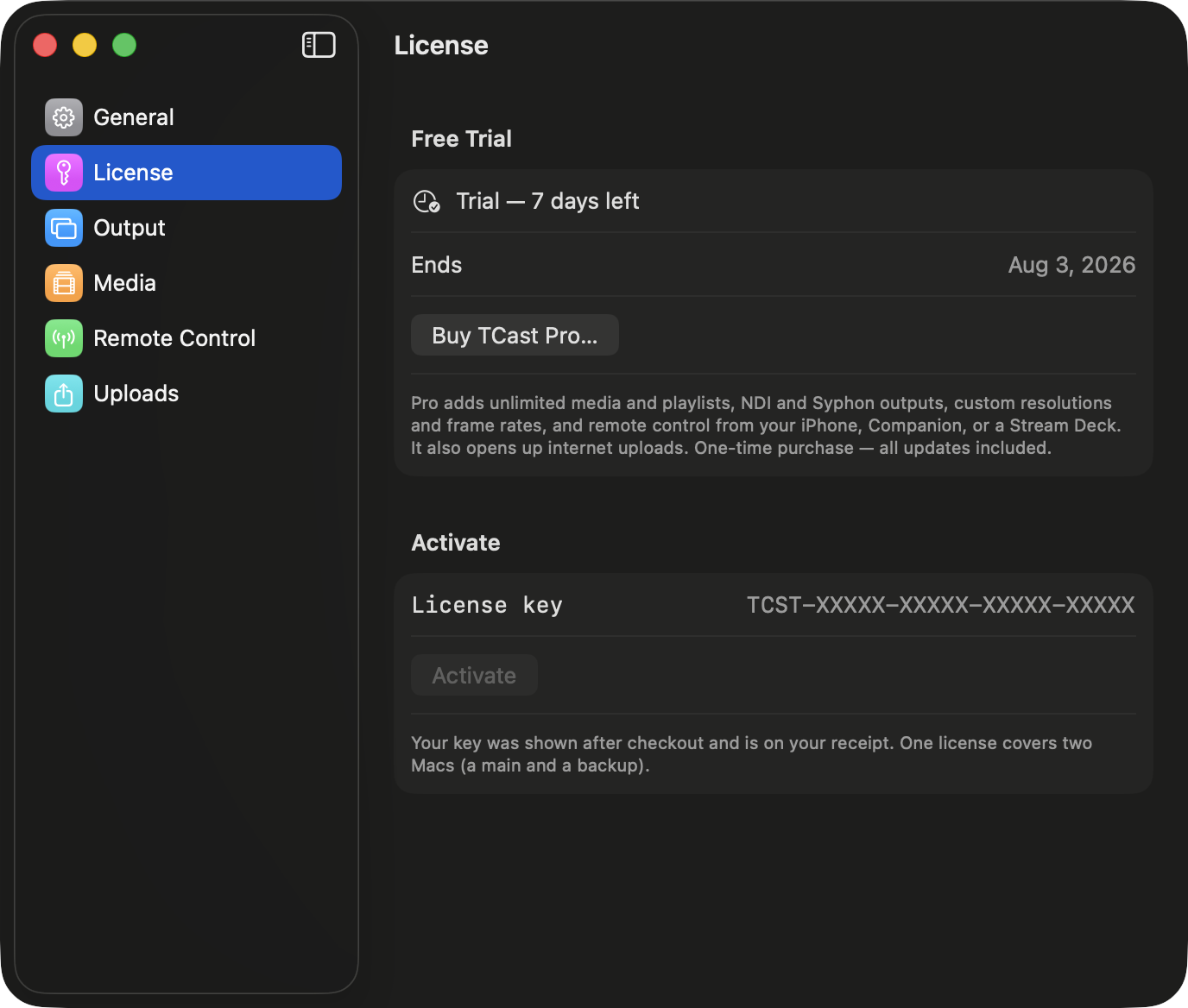
Settings shows the days remaining and the date it ends.
When a trial ends, nothing you made goes away. Items you added over the free cap during the trial stay in the library and stay playable; only adding past the cap is blocked. If you're going to keep using it that way, though, it would be super cool if you bought TCast Pro.
Buying and activating
Buy TCast Pro… opens the store page. Your key is shown after checkout and is also on your receipt. It looks like TCST-XXXXX-XXXXX-XXXXX-XXXXX.
- Open Settings ▸ License.
- Paste the key into License key under Activate.
- Click Activate.
Activation contacts the license service once and then caches a signed entitlement on this Mac, so you don't need to be online afterwards.
Moving a license between Macs
One license covers two Macs at a time.
- Deactivate This Mac… frees this Mac's seat so the license can be used somewhere else. Your key keeps working and you can activate again any time.
- If both seats are already in use, activating shows All Seats In Use with the Macs holding them and when each was last seen. Free one there and the activation retries on its own.
- If you've lost access to a Mac and want to reset your seat activations, contact support.
Re-activating on a Mac that already had a seat doesn't consume another one.
Troubleshooting
A toggle is disabled with a lock
- That feature is Pro. Start the trial or activate a key.
Activation says the key is invalid
- Check for a copied trailing space. The key is five groups separated by hyphens, starting
TCST-.
Pro was active and the app dropped to free
- The seat was deactivated remotely. That happens on a refund or chargeback, or when someone freed the seat from another Mac. Activate again to take a seat back.
LIC-01, couldn't store your license
- TCast couldn't write to the login keychain, so the license wouldn't survive a relaunch. See LIC-01. Your key isn't lost, and re-entering it on the same Mac doesn't use another seat.
The trial won't start
- Starting a trial needs an internet connection, and only once per Mac. If this Mac has already had its trial, the button is gone and the status reads Free — your trial has ended.